Signup forms that book the job.
Beautiful, branded lead forms for Jobber users. Built in minutes. Customers see their price, and every submission syncs automatically to your Jobber clients, properties, and requests.
Get Started Free Login
Beautiful, branded lead forms for Jobber users. Built in minutes. Customers see their price, and every submission syncs automatically to your Jobber clients, properties, and requests.
Get Started Free LoginWhat your customer sees, and what lands in your Jobber.
On your branded form, on your website or your own domain.
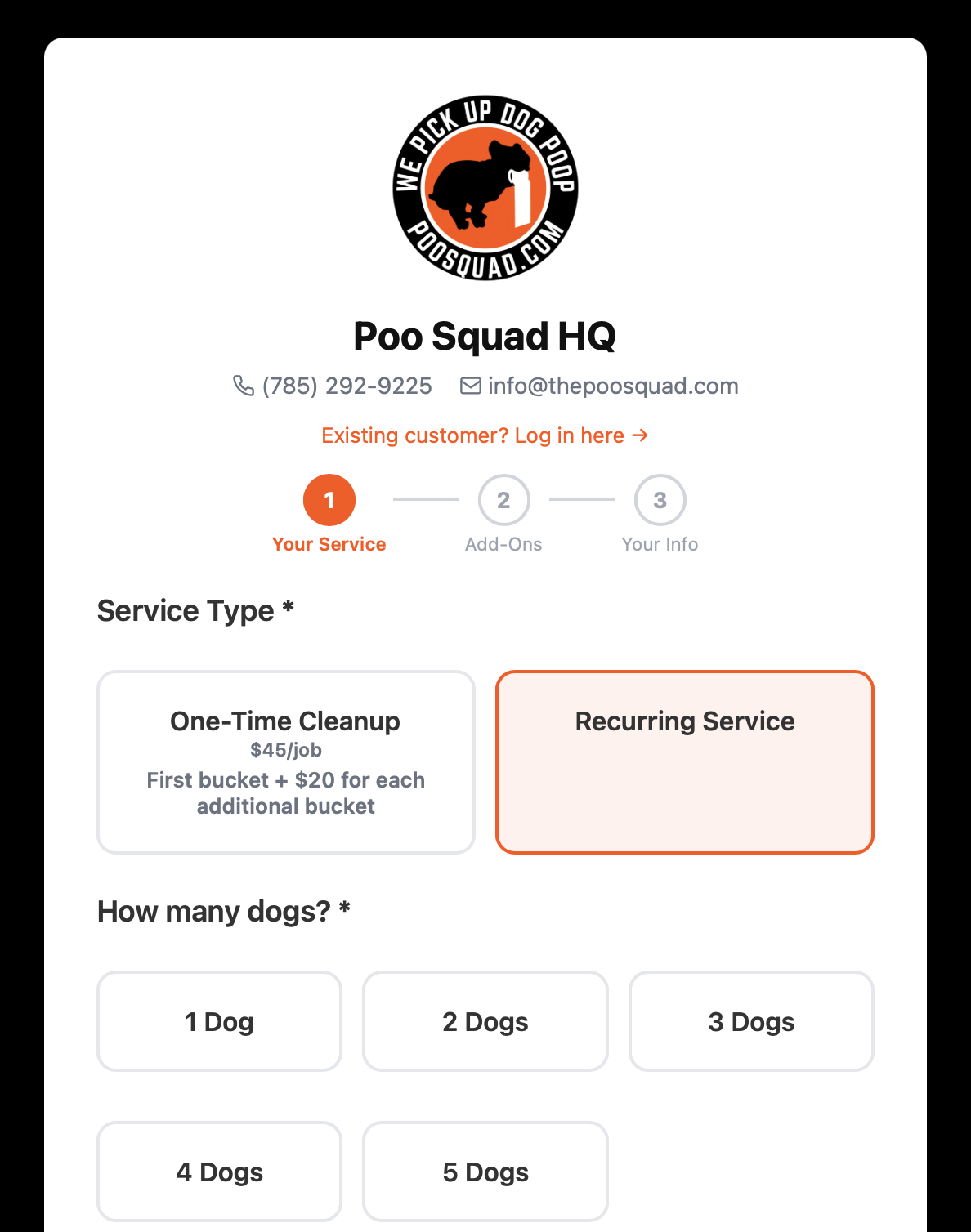
Frequency, size and add-ons update the price as they tap.
Client, property and request created, labelled and priced.
The lead source is tagged on every request automatically.
Every submission creates the client, the property and the request. Answers arrive grouped by step in your own wording, and every priced choice is a line item, so the total in Jobber matches what your customer saw.
Returning customers are matched by email, phone or service address. No duplicates. Nothing to copy across.
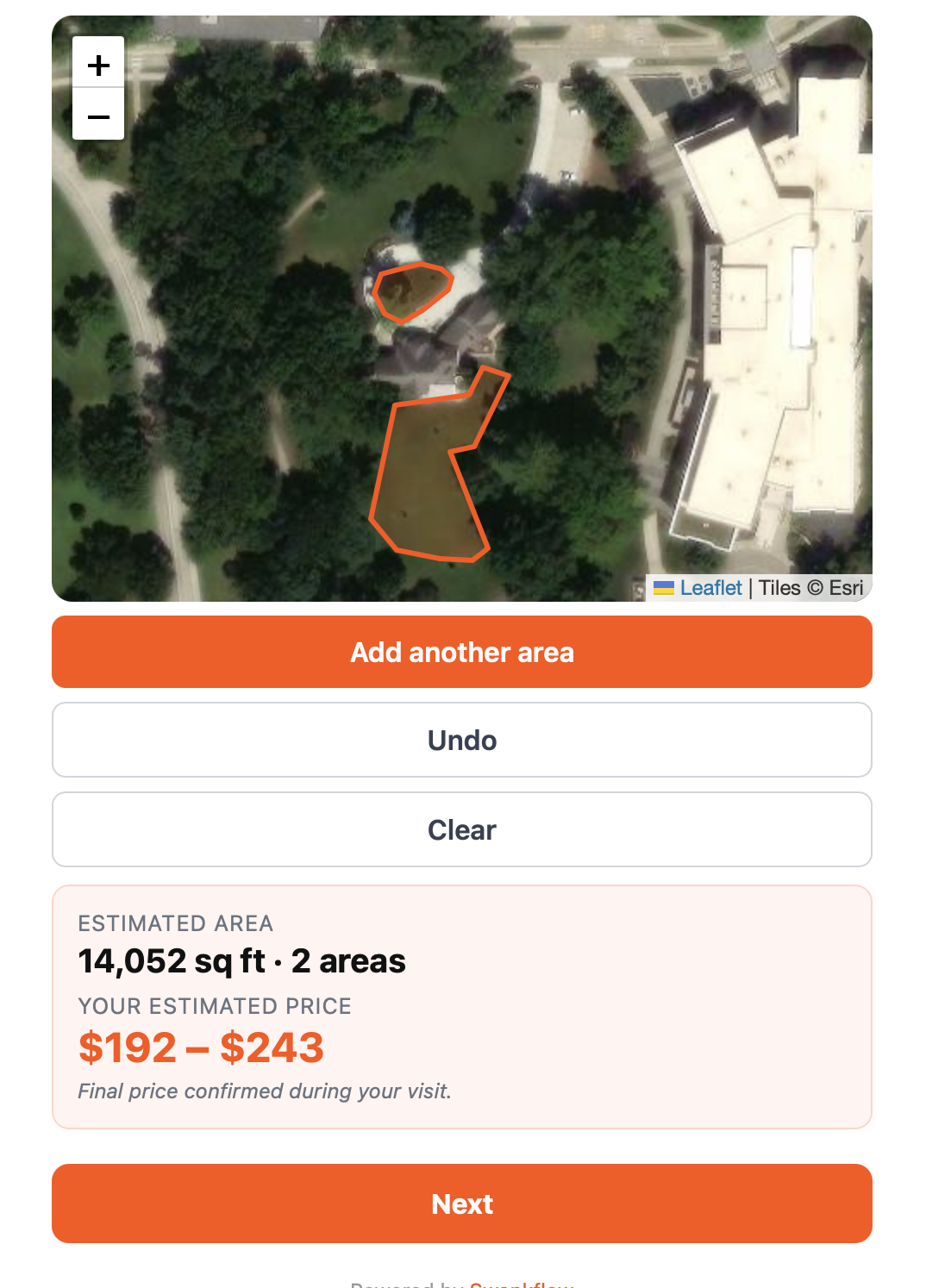
Type a sentence about your business. For example: "Pet waste removal, weekly or one-time, pricing by yard size, ask about gate codes." Swankflow generates the services, questions, and pricing rules. Edit in plain English from there.
FlowBot also restructures existing forms when you tell it what to change. Say "Only ask dog count for recurring service, not one-time" and it's done in one sentence.
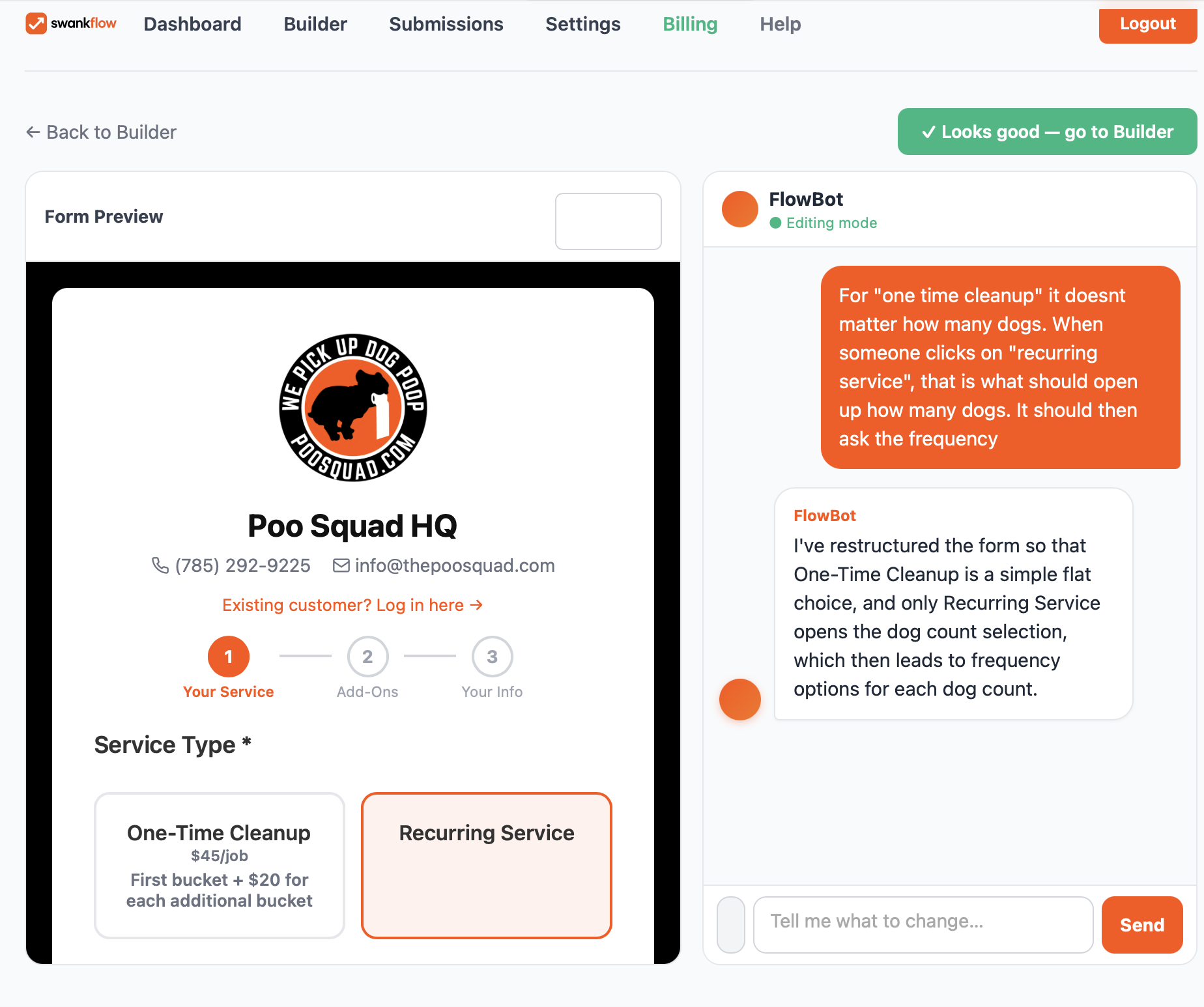
Every service, question, product, and pricing rule rendered as a flowchart. Colored arrows show what triggers what. Spot dead-ends, redundant questions, and pricing gaps in seconds, without clicking through your form ten times.
Drag connections to add conditional logic. No code. No flowchart software. Built into your dashboard.
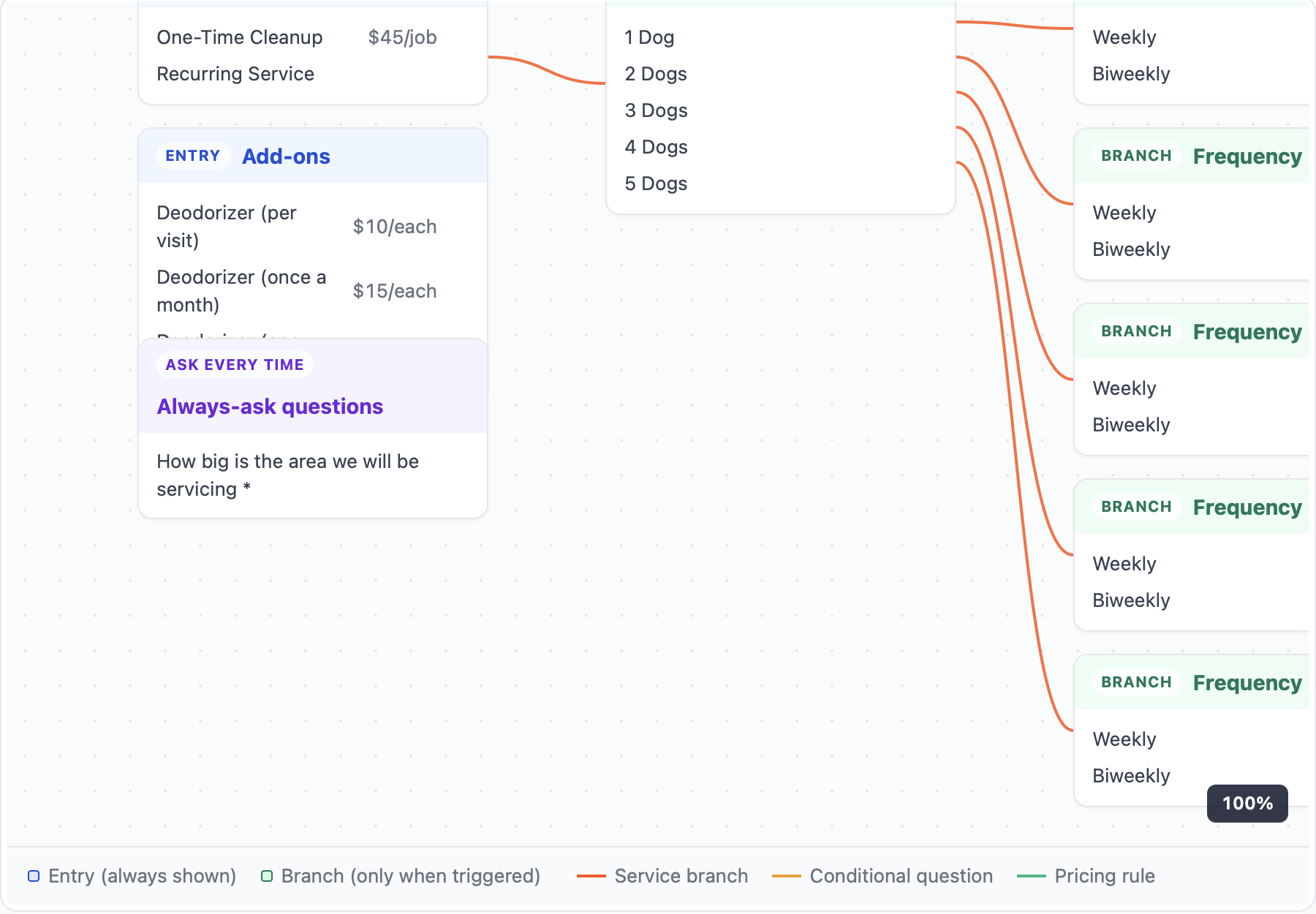
Customers see a satellite view of their address and outline what they want serviced. Swankflow calculates the square footage for lawns, driveways, decks, and roofs, or the linear footage for fences, gutters, and edging. The price range shows up before they hit submit.
No more "I'll come measure first." No sticker shock at the bottom of the funnel. The job is already priced when it hits Jobber.
Your form lives on your domain, like forms.yourbusiness.com, with SSL auto-provisioned. The "Powered by Swankflow" footer disappears. Welcome emails and review requests come from your sender domain instead of noreply@swankflow.com.
To your customers, Swankflow is invisible. Your brand is the whole experience.
Every request records where the customer came from: Google Business Profile, Google Ads, Facebook, Instagram, your website, a QR code on the truck. No "How did you hear about us?" question. Name a tracking link for each Google Business Profile, mailer or truck, and Swankflow does the rest.
The source shows on every submission and inside the Jobber request, and can be written to a Jobber client custom field so you can filter and report on it in Jobber.
No contracts. Cancel anytime. Built for home service businesses.
Everything you'd build a form for. None of the things you wouldn't.
Every submission becomes a Jobber client, property, and request the moment a customer hits Submit — with every answer laid out as labelled sections, ready to convert to a quote or job in one click.
Submissions match your existing Jobber clients by email, phone, or service address. No duplicate clients. No re-entry.
Customers pick a date and one of your time windows. It lands in the request and, if you want, on your Jobber calendar as an unassigned assessment to confirm.
Up to six photos of the problem, straight from the customer's phone, linked from the Jobber request.
An optional review screen and a proper thank-you page. No accidental double submissions.
See the exact request a submission will create before you share your link. Form health checks flag broken logic and pricing for you.
Welcome and review emails from noreply@send.yourbusiness.com. Verification is automatic once your DNS records are in.
Welcome email on submission. Automatic review request N days after Jobber marks the job complete. Reactivation campaigns built in.
GA4, Google Tag Manager, Meta Pixel, TikTok Pixel, and Snapchat Pixel built in. Drop in your IDs and know which ad campaigns actually book jobs.
Show questions, services, or add-ons based on what the customer picked. Set it up in plain English with the visual map.
Most customers fill out your form on their phone. Swankflow forms work great there without any config from you.
Start free. No credit card. Connect Jobber when you're ready.
Get Started Free Login